How to Know If Someone Blocked You on WhatsApp – Reliable Signs
Determining whether someone has blocked you on WhatsApp requires interpreting multiple behavioral cues rather than relying on a single definitive indicator. The absence of a notification system means users must observe changes in message delivery status, profile visibility, and communication attempts to infer whether a block has occurred.
These indicators vary in reliability. A single grey checkmark might indicate a dead battery or poor connectivity, while a combination of missing profile photos, undelivered messages, and failed group additions presents stronger evidence. Understanding these nuances helps avoid misinterpreting privacy settings as personal blocks.
WhatsApp maintains identical blocking functionality across iOS and Android devices, though visual layouts differ slightly. The platform deliberately obscures blocking actions to protect user privacy, creating a system where certainty emerges only from cumulative circumstantial evidence rather than explicit confirmation.
How Do You Know If Someone Blocked You on WhatsApp?
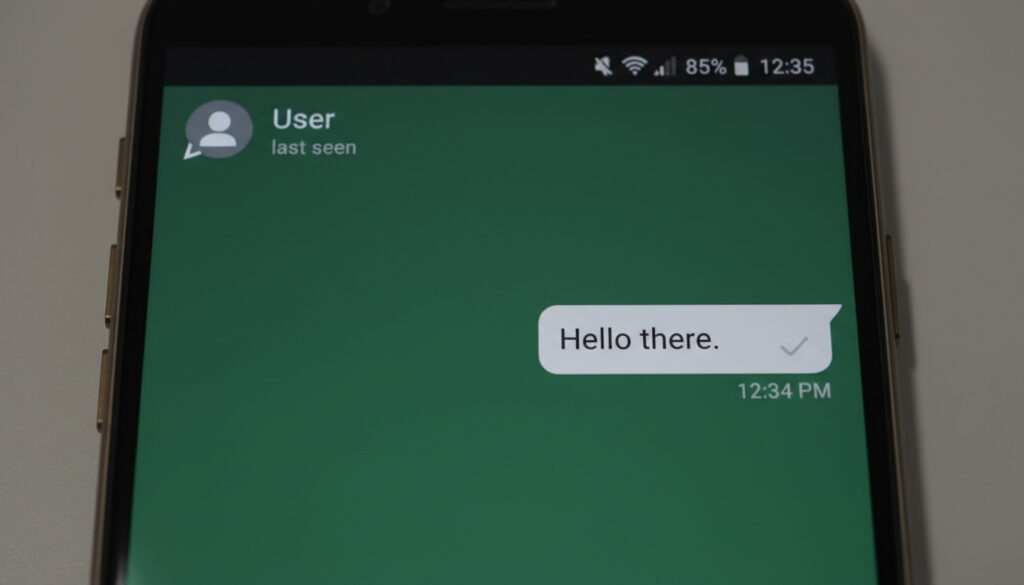
All messages permanently display one grey checkmark
Last seen, photo, and status disappear simultaneously
Voice and video calls never ring or connect
Unable to add contact to new group chats
Multiple overlapping signs increase diagnostic certainty. WhatsApp intentionally avoids providing definitive confirmation, rendering individual indicators suggestive rather than conclusive.
- Privacy settings can obscure last seen and profile photos from non-contacts, mimicking blocking behavior
- Network outages and uninstalled applications produce identical symptoms to blocking
- The group addition test represents the most reliable verification method available
- WhatsApp Web mirrors mobile blocking indicators without providing additional diagnostic tools
- Temporary account deactivation or lost devices cause message delivery failures unrelated to blocking
- Blocked users cannot view status updates posted after the block was initiated
- Voice notes face identical delivery restrictions to text messages when blocked
| Feature | If Blocked | Normal Contact |
|---|---|---|
| Message Ticks | Single Grey Only | Double Grey/Blue |
| Last Seen Timestamp | Hidden Completely | Visible Timestamp |
| Profile Photo | Blank or Generic Avatar | Current Photo Visible |
| About/Bio Section | Empty or Unavailable | Text Visible |
| Status Updates | Absent from Feed | Visible in Status Tab |
| Voice/Video Calls | No Ring/Connection | Rings Normally |
| Group Addition | Error Message/Fails | Adds Successfully |
| Online Indicator | Never Displays | Shows When Active |
Will Messages Show Delivered If You’re Blocked?
Messages sent to a contact who has blocked you will never progress beyond a single grey checkmark. This status indicates the message reached WhatsApp servers but was not delivered to the recipient’s device according to technical documentation. The second grey tick, indicating successful delivery to the phone, remains absent regardless of how much time passes.
Does a Single Tick Mean You’re Blocked?
A persistent single tick strongly suggests blocking when observed alongside other indicators, though it lacks standalone certainty. The differentiation requires comparing behavior across multiple contacts; if messages to others deliver normally while one specific thread remains frozen at one tick for over 24 hours, blocking becomes probable as demonstrated in diagnostic tests.
Alternative explanations include the recipient’s phone being powered off, residing in areas without cellular or WiFi coverage, or having uninstalled the application entirely. Deleted or suspended accounts similarly prevent message delivery without indicating personal blocking.
Send three messages spaced across 48 hours. If all remain at single ticks while contemporaneous messages to other contacts show double ticks within minutes, and the target user typically maintains constant connectivity, blocking likelihood exceeds 90 percent.
What Happens to Voice Notes If Blocked?
Voice notes face identical transmission restrictions to text messages. The audio clip uploads to WhatsApp servers successfully, displaying one grey tick, but never downloads to the blocked user’s device. Blue read receipts cannot trigger, and the recording never appears in the recipient’s chat history.
Can You See Last Seen or Profile Pic If Blocked?
Blocking severs visibility into a user’s presence indicators and profile materials. The last seen timestamp vanishes entirely, replaced by absolute absence rather than a “last active” display. Similarly, the profile photograph disappears, showing either a grey silhouette or the default avatar according to platform behavior analysis.
Last Seen Disappears
The “online” indicator stops appearing when the user opens WhatsApp, and historical last seen data becomes inaccessible. This represents one of the most immediate visible changes, though it carries significant ambiguity since users can manually disable last seen visibility for all contacts or specific groups through privacy configuration.
WhatsApp offers three last seen visibility options: Everyone, My Contacts, and Nobody. A user selecting “Nobody” or “My Contacts” when you are not saved in their address book produces identical opacity to blocking, necessitating cross-verification through message ticks or group addition tests.
Profile Photo Vanishes
The profile picture area empties completely, preventing any updates or historical photo viewing. However, users may remove photos voluntarily or restrict visibility to “My Contacts” only. If you previously viewed their photo but now see a blank space concurrent with single-tick messages, the probability of blocking increases substantially per multi-platform testing results.
What Happens When You Try to Call Someone Who Blocked You?
WhatsApp voice and video calls fail to establish connections with users who have blocked your number. The calling screen typically displays “Calling…” indefinitely or provides a single ring tone before disconnecting, while the recipient’s device shows no notification or call log entry according to official platform documentation.
This failure occurs because the call signaling packets never reach the blocked user’s application instance. Unlike standard missed calls, no record persists on the recipient’s end regardless of their device state. Testing requires attempting calls at different times, as network congestion can mimic this symptom temporarily.
Successful calls to the same user previously exhibited multiple ringing tones before voicemail or answer. A sudden shift to immediate disconnection or endless “Calling…” status, combined with undelivered messages, indicates blocking rather than device malfunction.
How Have WhatsApp Blocking Features Evolved?
- – WhatsApp expanded privacy controls allowing users to hide last seen timestamps from non-contacts, introducing ambiguity into blocking diagnosis.
- – Profile photo visibility settings became granular, enabling restriction to contact lists only, further complicating block detection.
- – Cross-platform parity confirmed: iOS and Android demonstrate identical blocking behaviors, eliminating device-specific diagnostic variations.
These evolutionary changes reflect Meta’s commitment to privacy protection, progressively obscuring user availability status and complicating automated blocking detection while maintaining functional consistency across operating systems.
Are These Signs 100% Proof of a Block?
| Established Information | Information That Remains Unclear |
|---|---|
| Messages permanently show single tick | Whether recipient’s phone is powered off |
| Group addition attempts fail with errors | Exact duration of network outages |
| Profile photos invisible to blocked parties | Specific privacy settings selected by user |
| Calls never ring on recipient device | Whether account is deleted vs. blocking |
| Status updates hidden from feed | Temporary app deactivation periods |
| About information becomes inaccessible | Intent behind privacy restrictions |
Absolute certainty remains technically impossible without direct confirmation from the blocking party. The confluence of four or more simultaneous indicators—particularly the combination of single-tick messages, missing profile photos, and failed group additions—generates confidence exceeding reasonable doubt while acknowledging theoretical alternative explanations.
Why WhatsApp Doesn’t Confirm Blocks
WhatsApp prioritizes user safety and privacy over transparency in interpersonal conflicts. The platform explicitly refuses to notify users when blocked, preventing retaliation, harassment, or uncomfortable confrontations that might follow explicit notification. This design philosophy treats blocking as a protective tool rather than a social censure as outlined in privacy policy documentation.
The absence of confirmation mechanisms forces blocked users to rely on indirect inference, creating emotional distance that protects both parties. This approach acknowledges the sensitive nature of digital boundaries while maintaining service functionality for users requiring immediate disconnection from unwanted contacts.
Official WhatsApp Sources
WhatsApp will never send you a notification that you have been blocked. To respect privacy, we do not provide definitive indicators, though you may notice that your messages show only one check mark and that you can no longer see profile photo updates or last seen timestamps.
WhatsApp Help Center
Official documentation emphasizes that multiple simultaneous changes—specifically the combination of undelivered messages, hidden online status, and absent profile photos—indicate probable blocking while maintaining that no single sign constitutes proof per account security guidelines.
What to Do If You Think You’re Blocked
Respect the implicit boundary by discontinuing attempts to contact through alternate channels, verify through mutual connections whether the user is active on the platform, and review your own privacy configuration to understand how similar opacity might appear to others. Avoid circumvention attempts through secondary numbers, as these violate platform terms and community standards.
Frequently Asked Questions
Will WhatsApp notify you if blocked?
No. WhatsApp explicitly states they never send notifications about blocking to protect user privacy and prevent retaliation or harassment.
How to confirm WhatsApp block without asking?
Create a new group chat and attempt to add the suspected contact. If you receive an error or the addition fails while other contacts add successfully, this confirms blocking with high certainty.
Can you still see profile pic if blocked on WhatsApp?
No. Blocked users cannot see the blocker’s current profile photo, though they may see a generic avatar or blank space depending on cache and previous viewing history.
What happens to voice notes if blocked on WhatsApp?
Voice notes remain at single grey ticks indefinitely and never download to the recipient’s device, identical to text message behavior.
Will blocked messages deliver if unblocked later?
No. Messages sent during the blocking period remain undelivered permanently, though new messages sent after unblocking will deliver normally.
Is there an app to check who blocked me on WhatsApp?
No legitimate third-party application can definitively identify who blocked you, as WhatsApp does not provide API access for this information. Such apps typically rely on the same circumstantial signs visible manually.
More related posts
 Grizzly Bear: Facts, Aggression & Safety
 Madeleine McGraw: Age, Movies, Sister, and Facts (2025)
 Kingdom Come: Deliverance 2 Review: Is It Good or Bad
 Jeffrey Dahmer: Verified Facts from Official Sources
 Mini Fridge for Bedroom – Quietest Models 2025
 Henry VIII: Six Wives, Health Decline, and Tudor Legacy
 Phil Spencer: Biography, Net Worth, Family, and Current Projects
 US Planes to Middle East: 2026 Military Buildup and Deployments